Our little family project
A little bank I made for my son
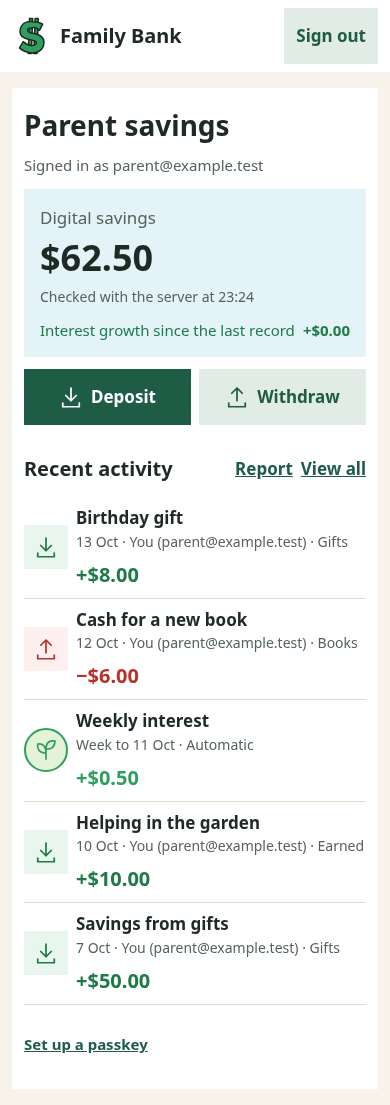
I wanted to help my son learn about saving and spending while he’s still little. So I made him a bank: we look after the money, and he has his own page where he can see how much he has and watch his savings grow.
How it works
You can use it for pocket money, birthday gifts or money your child earns by helping out. Whenever some money comes in or they take some out, you make a note of it in the app.
-
Add their money
If they get $8 for their birthday, add it to their balance with a note about where it came from. The money stays with you until they want to use it.
-
Take some out
When they want $6 for a book, hand over the cash and record it in the app. They can see what’s left and decide what to save for next.
-

Let their savings grow
The balance grows with interest while the money stays in their bank. We pay that interest ourselves, so there’s something for our son to look forward to when he leaves his savings alone.
You’re the one holding the money and handing it out. The app keeps track of what belongs to your child, without connecting to a bank account or moving any money itself.
Here’s what it looks like
A page he can understand
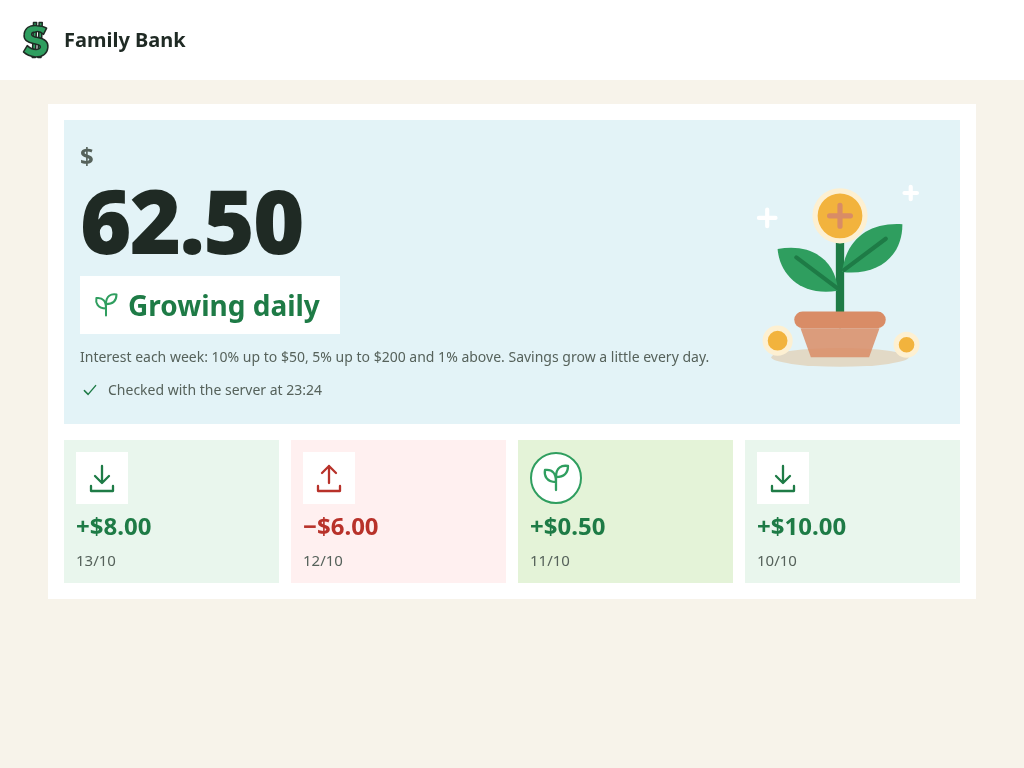
My son is six and still learning to read, but he’s good with numbers, so his page puts the balance right in front of him.
- He can see how much he has without having to read through a list.
- Arrows and +/− signs show what came in and what went out, with green and red to help tell them apart.
- He can look whenever he wants, without accidentally changing anything.
And a page for us
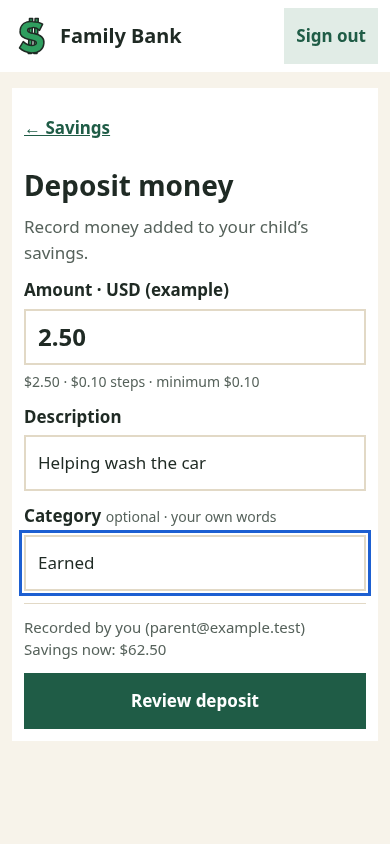
We have the buttons for adding money and taking it out. Each parent can sign in separately and look after the same balance.
- Add a short note, like “birthday gift” or “helping wash the car”, so you’ll remember what the money was for.
- Check the amount before saving it.
- See what the other parent has already added, with both of you looking at the same history.
When you want to look back together
- Where did the money go?
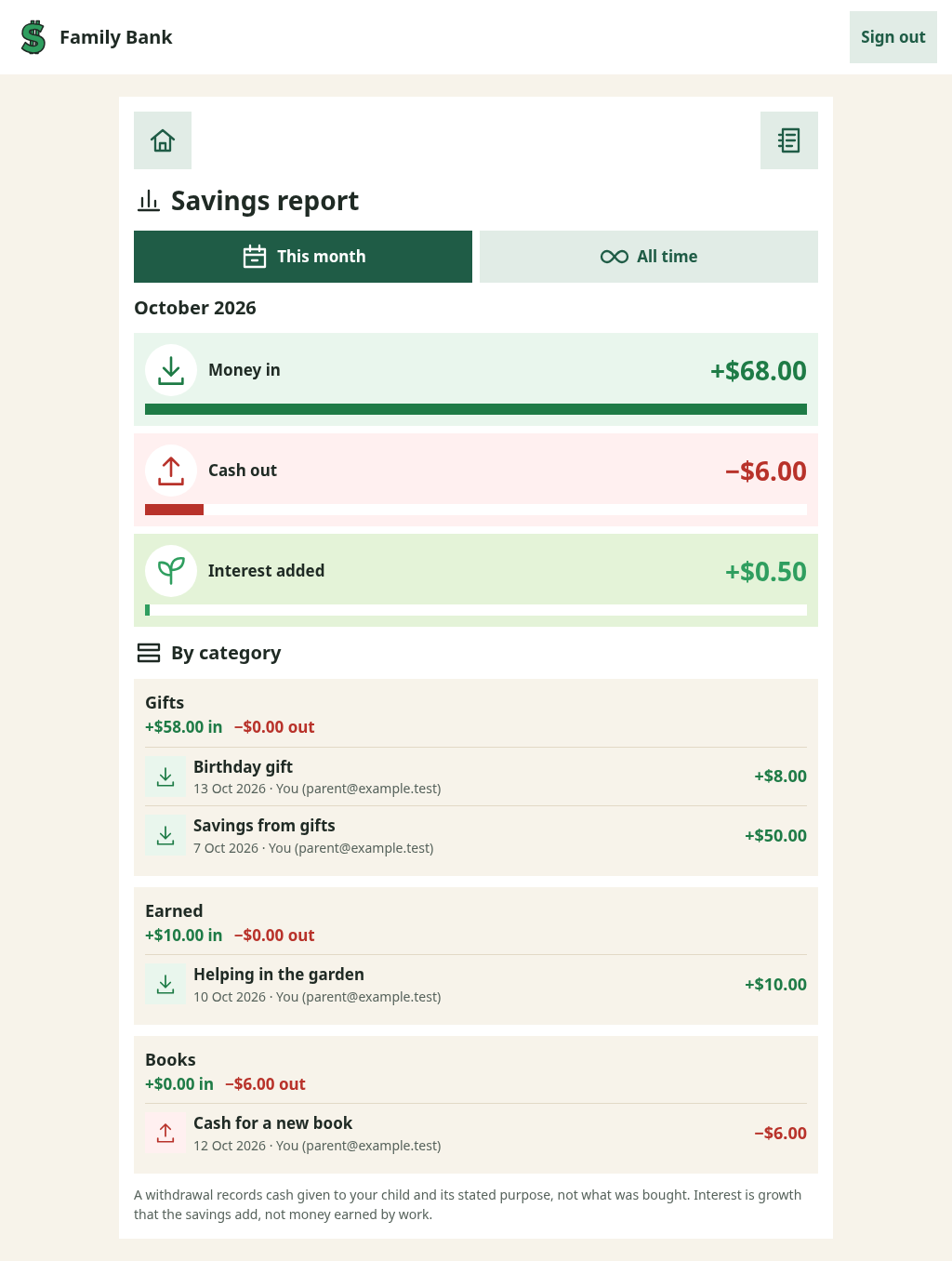
- Every gift, bit of pocket money and cash withdrawal has a date and a note, so you can sit down together and look through it.
- Group things in your own words
- You can put entries into categories such as Gifts, Books or Earned. Use whatever makes sense to your family, or leave the category empty.
- This month, or since the beginning
- The report adds up what came in, what went out and how much interest was added. You can look at this month or everything so far.
- Who added that?
- Each entry shows which parent recorded it, so you know who to ask if something looks unfamiliar.
- See the interest add up
- Interest gets its own weekly entry. It’s kept separate from gifts and money earned by helping out, so you can see how much came from leaving the savings in the bank.
We chose generous interest rates so he can notice his savings growing without waiting a year to see much happen.
Maybe your family would like one too
I made this for our family, and my son likes it. A few friends asked about having something similar for their kids, which is why I put this page together. I’d like to share the code so you can build your own version, with a coding agent helping you set it up.
- Sharing the project I’m planning to make it open source. The code isn’t public yet, and I’m not selling subscriptions.
- Making it fit your family Our copy uses rupiah and the interest rules we chose. The dollars here are examples; changing the currency or rates means adapting the code.
- Running your own copy The app runs on Amazon Web Services. You’d have your own hosting account and pay its running costs, with a setup guide to follow once the project is ready to share.